.png?width=200&height=32&name=Logo_amaran_Blue_20240811a%20(3).png)
This guide covers powering up your amaran Halo 200x, 300x, or 600x for the first time, mounting it on a light stand, and attaching Bowens Mount modifiers. For the on-device menu and control modes, see Operation & Controls.
1. Power Supply
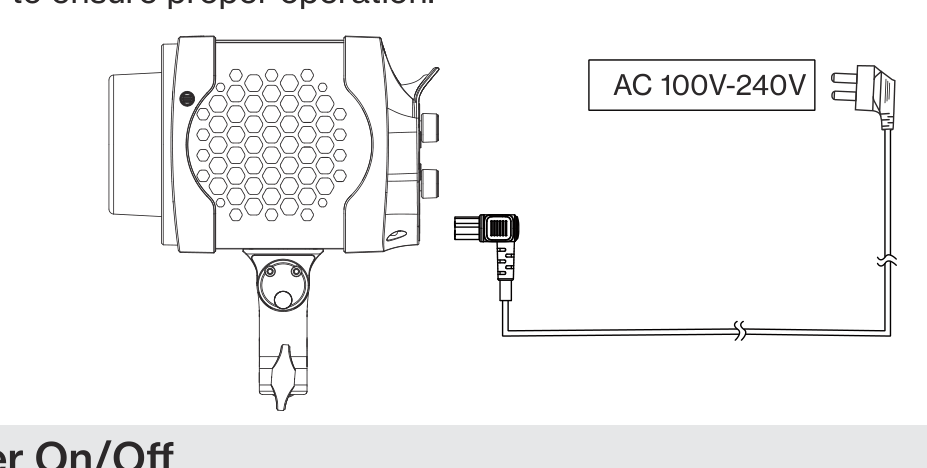
Insert one end of the AC power cable into the light's AC power input port, and the other end into an AC power outlet to supply mains power to the light. Ensure the plugs are securely connected to ensure proper operation. The light supports a universal voltage range of AC 100V to 240V.
2. Power On / Off
- After connecting to the power supply, short press the power button to turn on the device, and short press it again to turn it off. The default mode is CCT mode.
- The Power On icon will appear on the menu screen after connecting to power, and will disappear after 30 minutes or when the fixture is turned on.
- When you turn the light on for the first time, you can select your preferred language. Rotate the CCT knob to select your language, then click the CCT knob to confirm.
Tip: Enable Studio Mode in the menu to have the light turn on automatically whenever it is connected to power, without pressing the power button. See Operation & Controls.
3. Light Installation
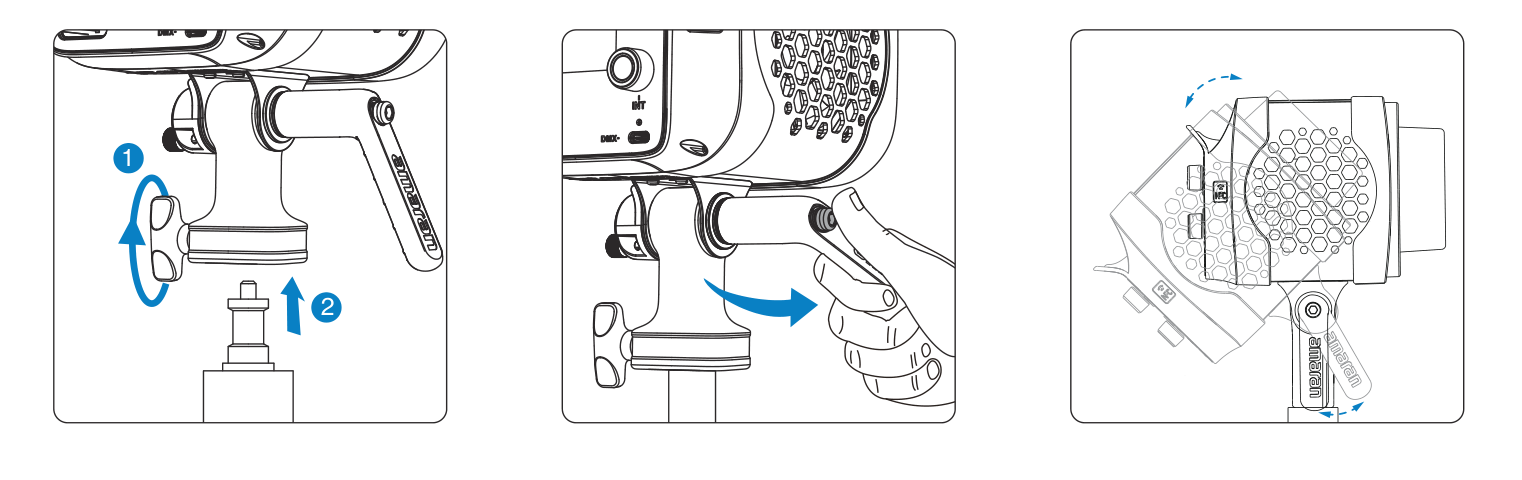
With the mounting bracket installed onto the light, place the end of the mounting bracket onto the light stand and turn the stand locking knob to secure it into place. Adjust the angle of the light and turn the tilt adjustment handle to secure it into place. Pull out the handle to reposition its angle for easier operation from different directions.
4. Bowens Mount Modifier Installation
- Modifier installation: Align the Bowens Mount pins with the Bowens Mount of the fixture. Insert the modifier and rotate clockwise. Installation is complete when the Bowens Mount Release Button pops out.
- Modifier removal: Press and hold the Bowens Mount Release Button on the corner of the light. Rotate the modifier counterclockwise to remove.
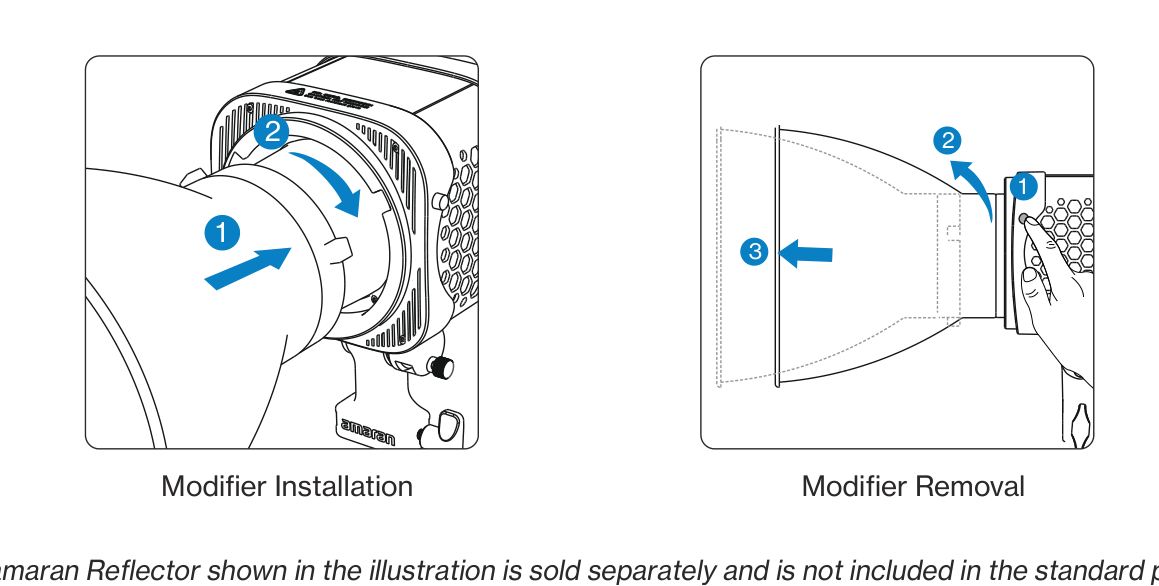
The amaran Reflector shown in the illustration is sold separately and is not included in the standard package. When replacing with other accessories, please ensure compatibility with the fixture. For detailed compatibility information, refer to the official website.