.png?width=200&height=32&name=Logo_amaran_Blue_20240811a%20(3).png)
This article covers the on-device controls of the amaran Go: adjusting brightness and color temperature, switching between the main and mirror lights, the SOS flash, Bluetooth reset, reading the indicator light, and app control. For charging, mounting, and power on, see [amaran Go] Getting Started.
Controls Overview
- Brightness Button (+ / -): located on the side of the light, marked INT. Adjusts brightness.
- Color Temperature (CCT) Adjustment Button (+ / -): located on the side of the light, marked CCT. Adjusts color temperature.
- Power Button: on the bottom of the light. Toggles the light on and off.
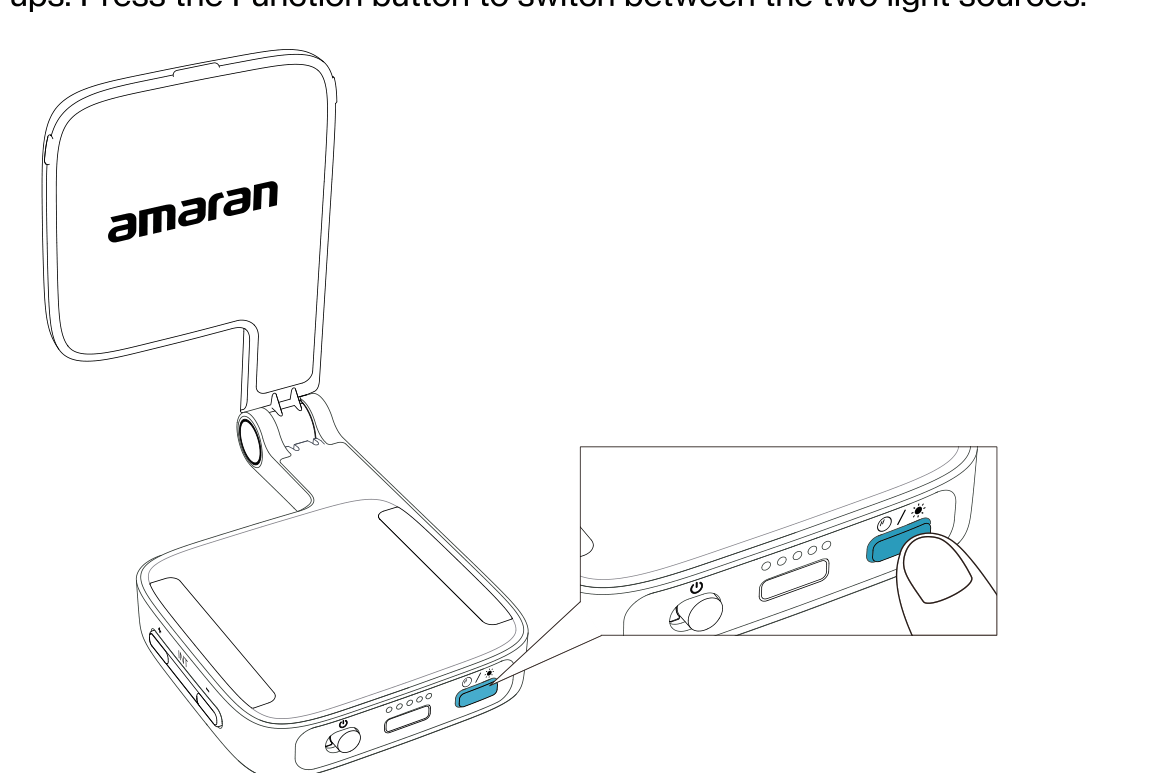
- Function Button: on the bottom of the light. Switches light sources, resets Bluetooth, and triggers the SOS flash.
- Indicator Light: on the bottom of the light. Shows battery level and confirms actions.
- USB-C Charging Port: on the bottom of the light. Used for charging.
Adjusting Brightness
There are a total of 10 brightness settings, from 10% to 100%.
- Press the + or - buttons to increase or decrease brightness in 10% increments.
- Hold the + or - button to jump straight to the maximum (100%) or minimum (10%) level.
Adjusting Color Temperature (CCT)
There are a total of 10 adjustable light modes, from warm white to cool white.
- Press the + button to increase color temperature toward a cooler white, or the - button to decrease toward a warmer white.
- Hold the + or - button to jump straight to the coolest setting (6,500K CCT) or the warmest setting (2,700K CCT).
Switching Between the Main Light and Mirror Light
The amaran Go features a main light source and a built-in mirror light for quick touch ups. Press the Function button to switch between the two light sources.
Triggering the SOS Flash
- Press the Function button twice to trigger the SOS light.
- When the SOS function is activated, the light will flash.
Bluetooth Reset
- Hold the Function button for 2 seconds to reset Bluetooth and connect your light to the amaran app.
- The Bluetooth reset is successful when the indicator light flashes 5 times.
Reading the Indicator Light
When the light is powered on, the indicator light displays the battery level in 20% increments. For example, an 80% battery level displays 4 lights. When the light is charging, the indicator lights flash in order; once fully charged, all 5 indicator lights remain on.
The indicator light also shows your setting while you adjust brightness or color temperature:
Adjusting brightness via the INT buttons
- Each flashing light: 10% brightness
- Each solid light: 20% brightness
- All indicator lights on: 100% brightness
- 1 flashing light: 10% brightness (minimum)
Adjusting color temperature via the CCT buttons
- Each flashing light: 1 level
- Each solid light: 2 levels
- All indicator lights on: coolest setting (6,500K CCT)
- 1 flashing light: warmest setting (2,700K CCT)
Firmware Upgrade
Firmware updates can be applied online via the amaran app.
Using the amaran App
You can download the amaran mobile app from the iOS App Store, Google Play Store, and other platforms to enhance the functionality of the light. The amaran desktop app is available from the amaran website. Visit amarancreators.com for more details on how to use the app to control your amaran lights.