.png?width=200&height=32&name=Logo_amaran_Blue_20240811a%20(3).png)
This article covers the on-board controls of the amaran Verge, along with its lighting effects, Studio Mode, Bluetooth, and app control. For power and mounting, see [amaran Verge] Getting Started.
Controls and Ports
All controls and ports are located along the bottom edge of the fixture, with the amaran Verge Lock mount on the rear.
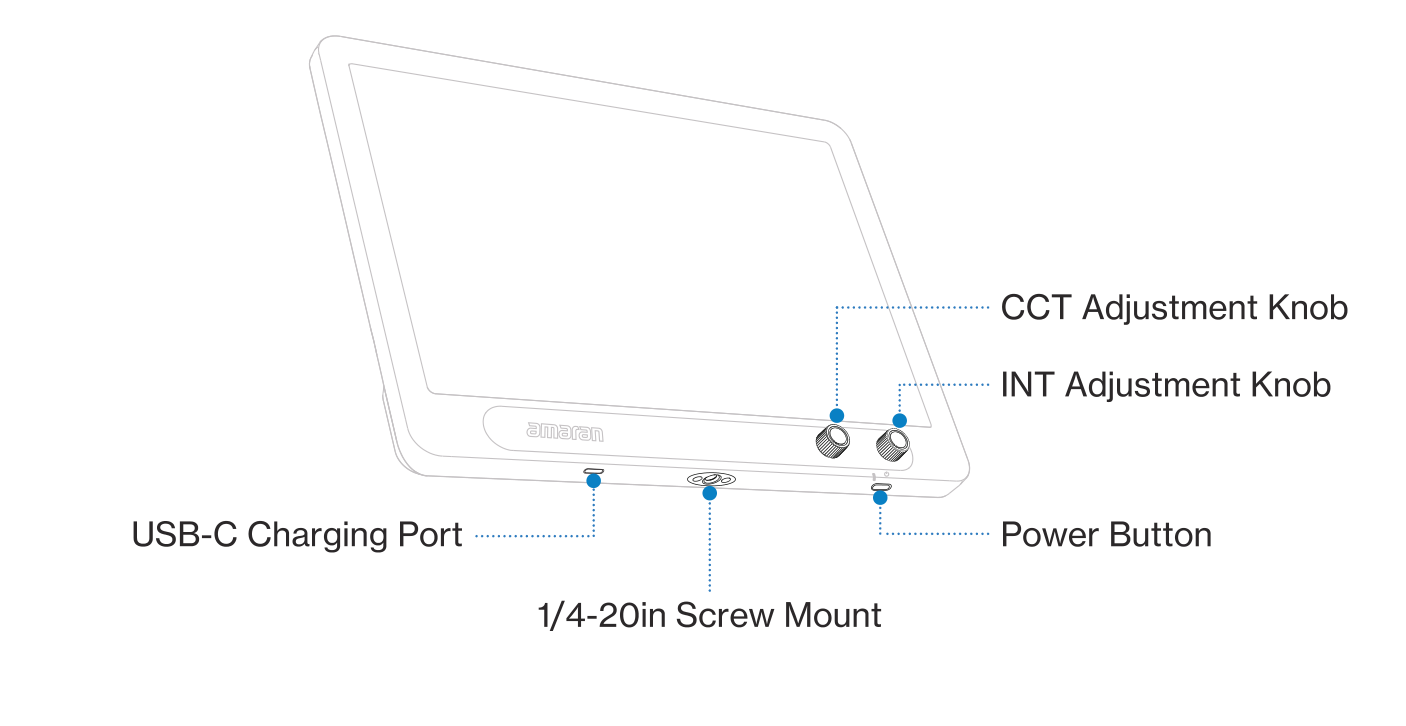
- Power Button: Press to turn the light on or off. Hold for 2 seconds to reset Bluetooth. Double-click to toggle Studio Mode on or off.
- INT Adjustment Knob: Rotate to adjust the light's brightness.
- CCT Adjustment Knob: Rotate to adjust the light's color temperature.
- 1/4-20in Screw Mount: Mount the light onto 1/4-20in tripods, light stands, or other equipment.
- USB-C Charging Port: Used to power the fixture via a PD-supported power supply.
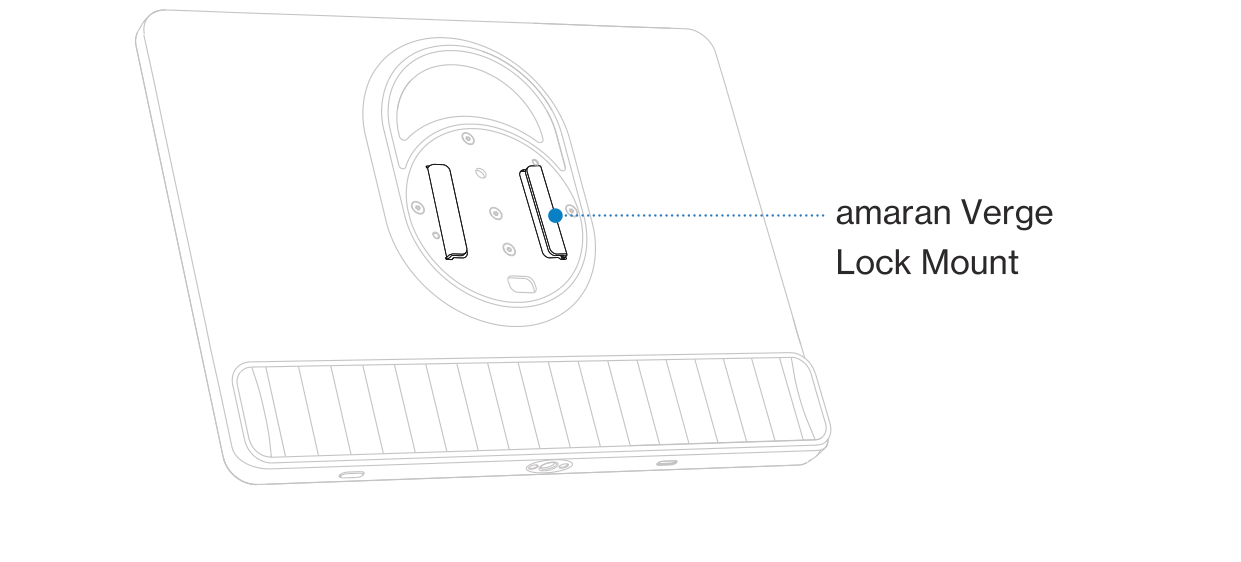
- amaran Verge Lock Mount: Use the light with amaran Verge Lock compatible accessories. The protective cover must be removed before use.
Adjusting Intensity and Color Temperature
- INT (Intensity): Rotate the INT adjustment knob to adjust brightness from 0% to 100%.
- CCT (Correlated Color Temperature): Rotate the CCT adjustment knob to adjust color temperature from warm white (2,700K) to cool white (6,500K).
Note: To fine-tune your lighting further by dialing in exact values, use the amaran app.
FX Mode
FX Mode is enabled via the amaran app. The amaran Verge supports 7 lighting effects:
- Fireworks
- Faulty Bulb
- Lightning
- TV
- Strobe
- Explosion
- Fire
Studio Mode
When the light is turned on, double-click the Power Button to toggle Studio Mode on or off. The indicator light will light up for 2 seconds, then turn off. Studio Mode is turned off by default.
Bluetooth Reset
Bluetooth is turned on by default. To reset it, turn the light on, then press and hold the Power Button for 2 seconds. The indicator light will flash and then turn off, completing the Bluetooth reset.
Firmware Upgrade
Firmware can be updated online via the amaran app or Sidus Link.
Using the amaran App
You can download the amaran mobile app from the iOS App Store, Google Play Store, and other platforms to enhance the functionality of the light. The amaran desktop app for Mac and Windows is available from the amaran website. Visit amarancreators.com for more details on how to use the app to control your amaran lights.